
A postmark for every memory
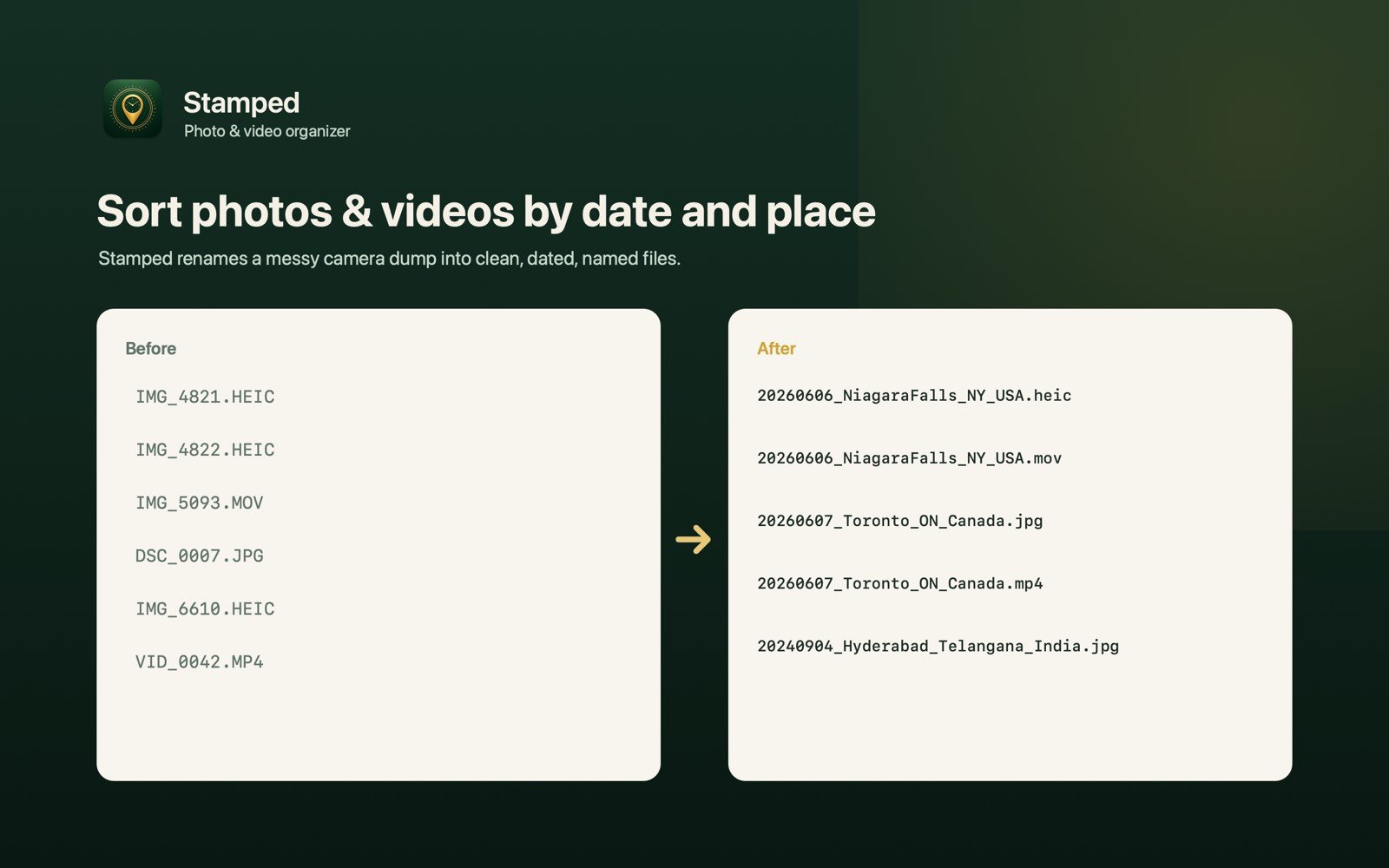
Stamped turns a messy camera dump into clean, dated, named folders. It can rename photos by date on Mac, videos too, then let Smart Events group them into named trip folders by city, state and country, entirely on your Mac.
Download on theMac App StoreFree to try · Stamped Pro is a one-time purchase · No subscription
Rename photos by date on Mac, then group by event
Rename by date taken
Photos from EXIF, videos from their recorded metadata, named yyyymmdd_hhmmss. Times stay as recorded, so names match the clock, not your Mac’s time zone.
Live preview
Every file shows its planned new name before you commit. Collision-safe numbering, optional labels, subfolders and a media-only filter included.
Smart Events
Auto-group photos and videos into named event and trip folders, like 20260606_NiagaraFalls_NY_USA, by detecting gaps in time and place.
Undo Last Transfer
One click puts everything back: copies go to the Trash, moves return to where they came from.
Free vs Pro
Start free. Upgrade once, keep it forever.
| Feature | Free | Pro (one-time) |
|---|---|---|
| Copy or move selected files | ✓ | ✓ |
| Rename by date taken, with live preview | ✓ | ✓ |
| Labels, numbering, subfolders, media-only filter | ✓ | ✓ |
| Undo Last Transfer | ✓ | ✓ |
| Smart Events trip & event folders | ✗ | ✓ |
| Place names: City, State, Country (on-device) | ✗ | ✓ |
| Dated folder trees (2026, 2026-03, 2026/03/14) | ✗ | ✓ |
| Event-folder options | ✗ | ✓ |
Frequently asked questions
Are my photos uploaded anywhere?
No. Stamped works entirely on your Mac and only reads the folders you choose. For place names, only coordinates are looked up during on-device reverse geocoding. Your photos and videos never leave your device.
How does Stamped name my files?
Files are renamed by the date they were taken, in yyyymmdd_hhmmss format. Photos use EXIF data and videos use their recorded QuickTime metadata. Times stay as recorded: Stamped detects whether a video’s stored time is true UTC or local, so names match the clock instead of shifting to your Mac’s time zone.
What are Smart Events?
Smart Events automatically group photos and videos into named event and trip folders, such as 20260606_NiagaraFalls_NY_USA, by detecting gaps in time and location. You choose how much place to include: City, City + State, or City + State + Country. You can refine any detected place with your own label.
Can I undo a transfer?
Yes. Undo Last Transfer works with one click: copies go to the Trash and moves are put back where they came from.