

If you are trying to AirDrop from Android to Mac, here is the honest answer up front: you cannot, because AirDrop only exists between Apple devices. That is the bad news, and it is the only bad news. The one-tap, no-cable, no-cloud feeling that makes AirDrop so pleasant is absolutely available between an Android phone and a Mac. You just need to know which door to walk through, and this page compares the three that actually work.
The short answer: AirDrop is Apple-only
AirDrop is Apple’s private sharing protocol, and Apple has never opened it up. An iPhone can AirDrop to a Mac, a Mac can AirDrop to an iPad, and an Android phone is simply invisible to all of them. No app, setting, or trick makes an Android phone show up in the AirDrop panel, and anything that claims otherwise is not using AirDrop at all. Apple’s own AirDrop documentation lists only iPhone, iPad, and Mac, and that list is not going to grow.
So searching for how to AirDrop from Android to Mac is really searching for something that behaves like AirDrop: instant, wireless, full quality, and gone in thirty seconds. That exists. It just has different names.
Why Quick Share does not fill the gap
Android has its own AirDrop equivalent called Quick Share, and it is genuinely good between Android phones. The catch is the other end. Google ships a Quick Share app for Windows PCs, but there is no Quick Share app for macOS and Google has shown no sign of building one. So the two sharing systems sit back to back: AirDrop covers Apple to Apple, Quick Share covers Android to Android and Android to Windows, and the Android-to-Mac lane between them is empty.
That empty lane is why the old official answer was a USB cable and Google’s abandoned Android File Transfer app. If you have been fighting that particular battle, we wrote up seven fixes for Android File Transfer not working. But you do not need the cable at all, because your phone and your Mac already share something better: your Wi-Fi network.
Three routes that give you the AirDrop feeling
1. A direct Wi-Fi transfer with DropBeam
This is the route we built, so judge the claim for yourself: it is the closest thing to an AirDrop from Android to Mac that we have found. DropBeam is a small Mac app. You click Start Receiving, it shows a QR code with an access code, and any phone scans it. Android or iPhone, it does not matter, because the phone side is just a browser page. Pick your photos, videos, or files, and they travel over your local Wi-Fi straight into the Mac folder you chose, at original quality. Nothing is installed on the phone, there is no account, no cloud, and no size limit. The free version does unlimited transfers.
Like AirDrop, nothing leaves your own network. Unlike AirDrop, it works with every phone your family and friends will ever hand you.
2. Snapdrop or PairDrop in two browsers
Snapdrop and its actively maintained sibling PairDrop are free web apps that copy the AirDrop idea in the browser. Open the same site on the phone and on the Mac, the two pages find each other, and you drag files across. When it works, it is lovely, and we recommend it without hesitation for one-off transfers on a home network.
The honest cons: both devices need the page open at the same time, discovery can be flaky on restrictive or guest networks where devices are isolated from each other, and big batches of large videos can stall with no way to resume. It is a great trick, but it can feel like a trick on the days the two browsers refuse to see each other.
3. Cloud round-trips as a last resort
Google Photos, Google Drive, and Dropbox all bridge Android and Mac by going up to a server and back down. They work anywhere, even across the world, which the local options cannot do. But for two devices sitting on the same desk, a cloud round-trip is the slow lane: you wait for the upload, wait for the download, watch your storage quota, and in some modes Google Photos recompresses your pictures on the way through. We compared these routes in detail in our guide to transferring photos from Android to Mac without a cable. Fine as a fallback, silly as a habit.
The closest thing to AirDrop from Android to Mac, in 4 steps
Here is the whole DropBeam flow. First time through takes about two minutes; every time after that, about twenty seconds.
1. Click Start Receiving on the Mac
Open DropBeam and click Start Receiving. The Mac shows a QR code and a short access code, so only the person holding your phone, in your room, on your network can connect.
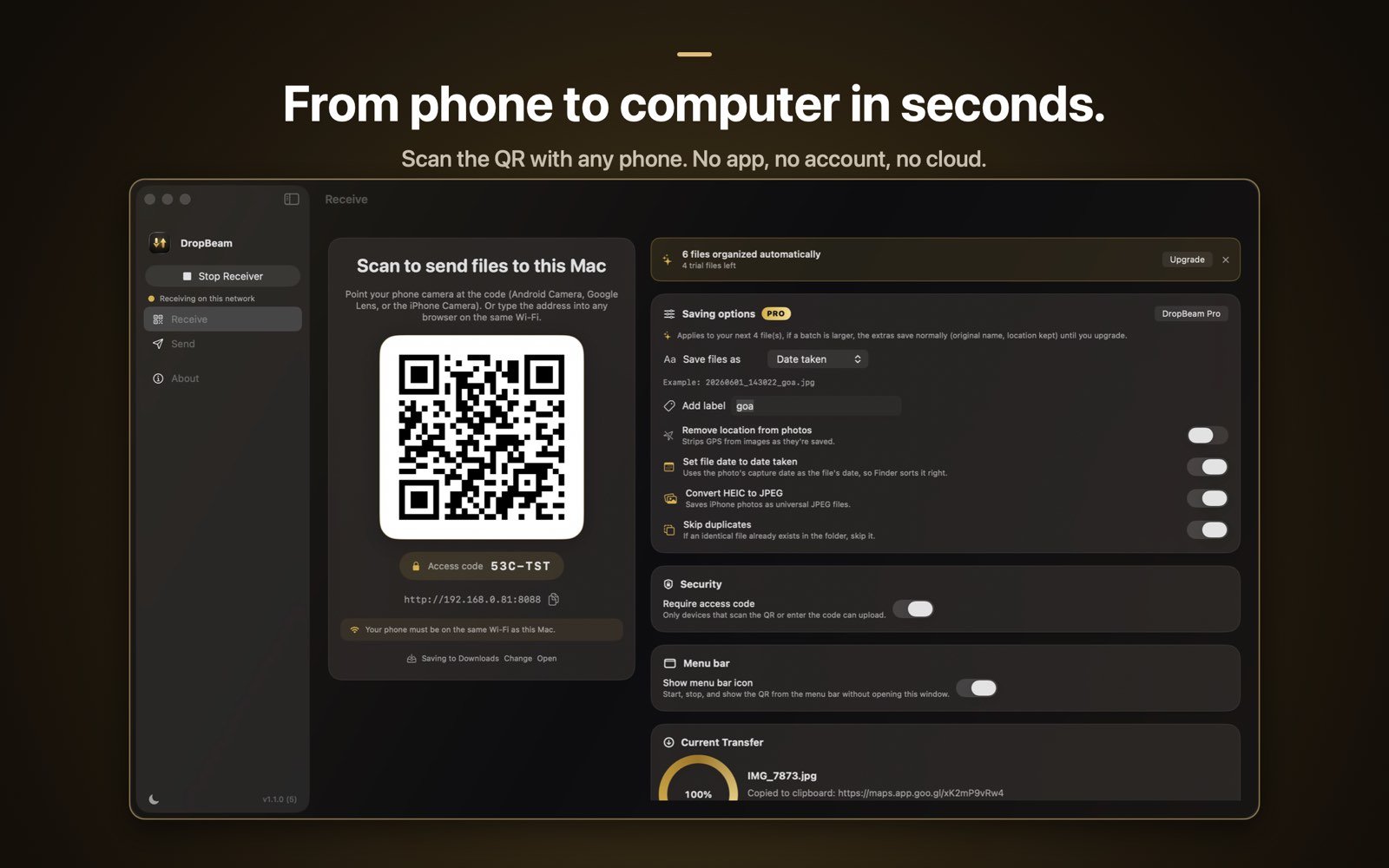
2. Scan the QR code with the phone
Point the Android camera at the code and tap the link. An upload page opens in the phone’s browser. Nothing to install, nothing to sign into, and the same scan works from an iPhone too.
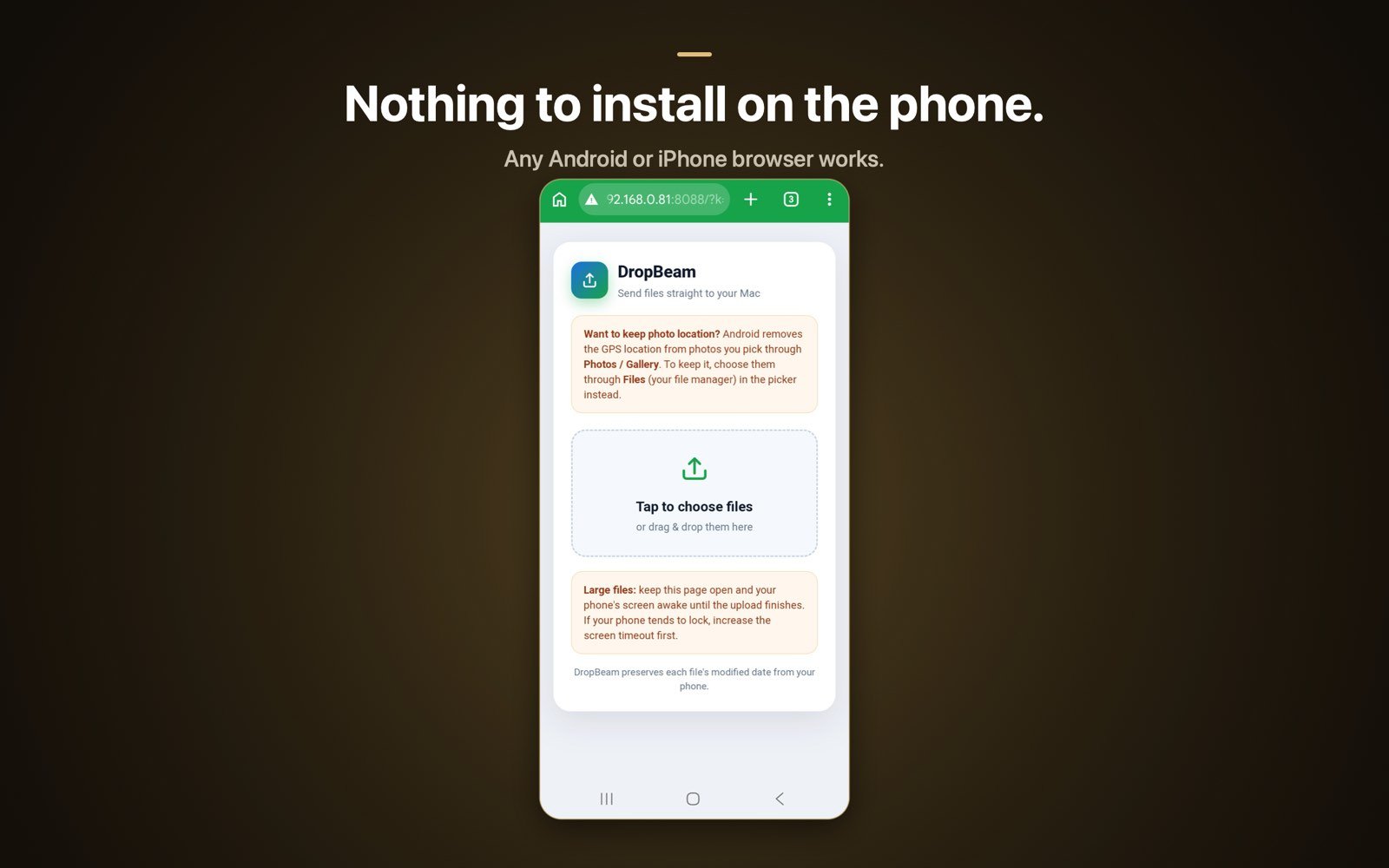
3. Pick the files to send
Tap Choose Files and select as much as you like. Photos, videos, documents, whole vacation batches. There is no size limit, so a 4 GB video is just a slightly longer progress bar, not a problem.
4. Find everything on the Mac
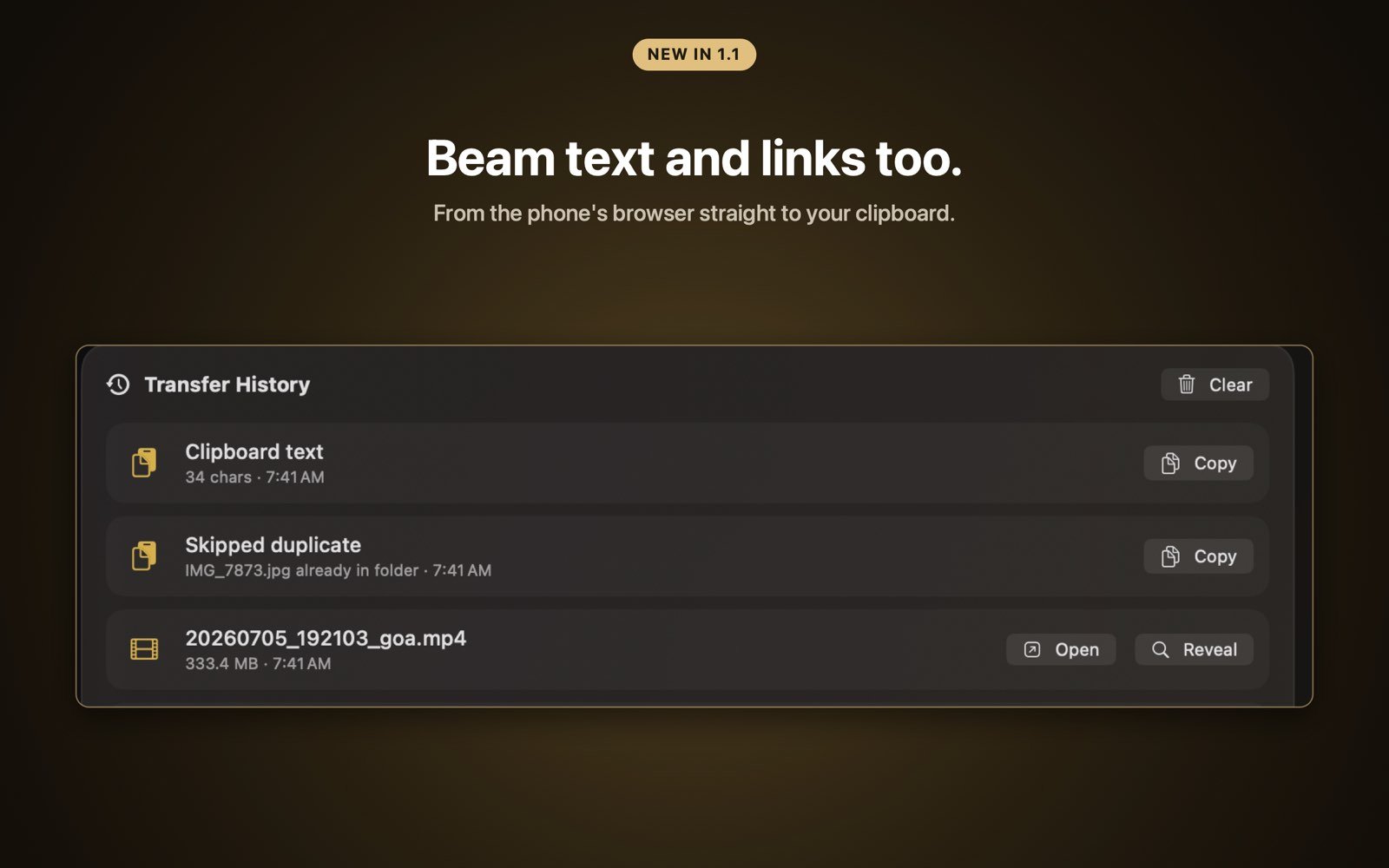
The files land in the Mac folder you chose, byte for byte at original quality. If you go Pro, a one-time purchase, DropBeam can also rename files on save, convert HEIC to JPEG, skip duplicates, strip GPS data, keep true file dates, and send from the Mac back to the phone.

The AirDrop feeling, for every phone
Free with unlimited transfers. No phone app, no cloud. Pro is a one-time purchase, never a subscription.
Download on theMac App StoreFrequently asked questions
Can you AirDrop from an Android phone to a Mac?
No. AirDrop only works between Apple devices, and Android phones cannot see or join an AirDrop session. To move files from Android to a Mac you need a different route, such as a direct Wi-Fi transfer app on the Mac, a browser-to-browser tool, or a cloud service.
Does Quick Share work on a Mac?
No. Quick Share is built into Android and Google offers a Quick Share app for Windows, but there is no Quick Share app for macOS. An Android phone and a Mac cannot exchange files through Quick Share.
What is the closest thing to AirDrop between Android and Mac?
A direct local Wi-Fi transfer. DropBeam runs on the Mac and shows a QR code; the phone scans it and uploads through its browser, so files move straight between the two devices at original quality with nothing installed on the phone and no cloud in between.
Is a direct Wi-Fi transfer private and safe?
Yes, as long as it stays on your own network. With DropBeam the files travel only across your local Wi-Fi from the phone to the Mac, protected by an access code, and nothing is uploaded to any server or stored in any cloud account.